

ash · revision · ai writing
Use Ash as an Editor, Not a Ghostwriter
JP LeBlanc · November 12, 2026 · 6 min read
Ash's instructions in the story chat contain a line most writers never see: "You are a writing ADVISOR in this chat window. Do NOT write full scenes, chapters, or extended prose passages as your own chat reply text." It can still draft. Ask for a scene and it puts a proposal card in front of you, and nothing lands in the manuscript until you approve it. But the chat itself was built for talking about the book, and I think that's where Ash earns its keep in the back half of November, when the draft exists and you need someone to read it.
Using it that way takes a few habits. None of them are complicated. Most of them come from knowing what Ash can actually see when you ask it a question.
What Ash has in front of it
Every message you send rebuilds a briefing from your story: the overview (genre, tense, POV, tone, your description, any words you've told it to avoid), your story rules, the story bible, the manuscript in order, and whichever file you have open, pinned near the top. You don't paste anything. That part is good.
The part worth knowing: each file in that briefing is capped at 10,000 characters, roughly 1,700 words of English. A chapter longer than that keeps its first 9,500 characters and its last 500, with a note in the middle saying content was cut for length. Most novel chapters run longer than 1,700 words. So if you ask "is the pacing off in chapter 9?" without saying anything else, Ash is judging a chapter with its middle missing.
The fix is one sentence. Ash has a tool that fetches a single chapter in full, so tell it to use it: "Read chapter 9 in full before you answer." For any question about a specific chapter's prose, I put that sentence first.
Set the register before you ask
The chat panel has three response settings. Length runs Short, Balanced, or Thorough. Tone runs Warm, Direct, or Blunt. Harshness runs Gentle, Honest, or Harsh. The defaults are Balanced, Direct, and Honest, which is a reasonable middle.
For critique, I move Tone to Blunt and leave Harshness on Honest. Blunt removes the cushioning sentences; Honest still calls a problem a problem without hunting for more of them. Harsh is useful once, on a chapter you already suspect is broken, when you want every flaw named. As a standing setting it produces a list so long you stop reading it. If it's day 20 and you need to keep going more than you need a diagnosis, Gentle is the right call, and there's nothing soft about choosing it.
Prompts that get critique instead of a rewrite
Models default to fixing. Ask "what do you think of this scene?" and you'll often get two lines of opinion followed by a revised version you didn't ask for. The way around it is to name the output you want and forbid the one you don't.
A cold read:
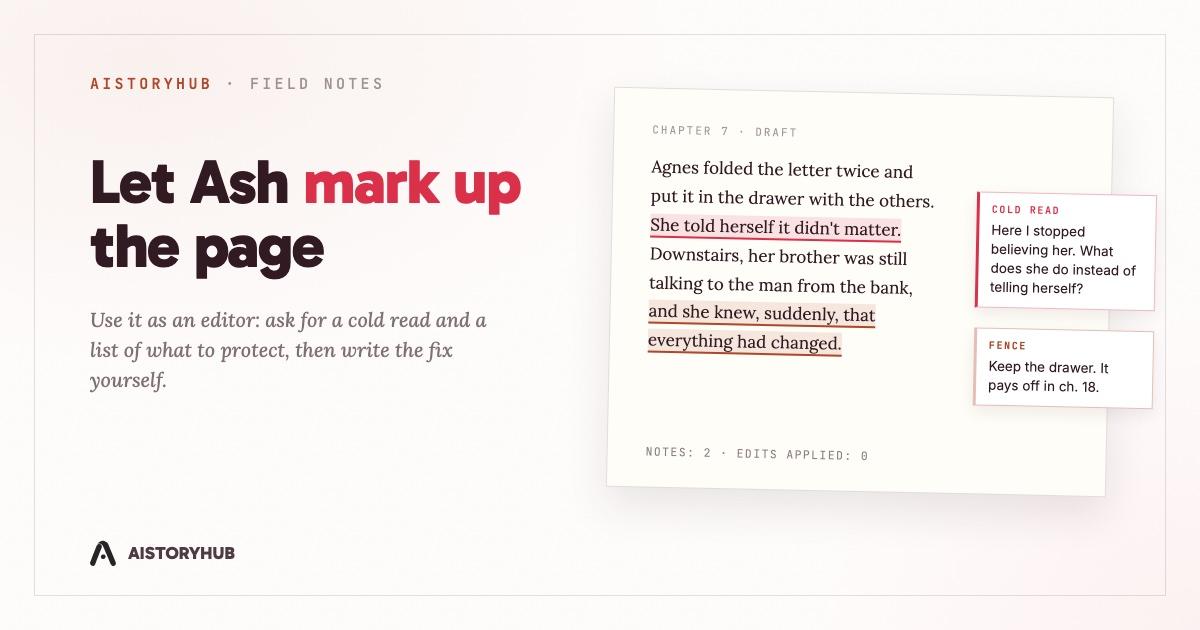
Read chapter 7 in full. Don't suggest fixes. Tell me where you got confused, what you predicted would happen next, and the paragraph where your attention dropped.
A continuity check against your own canon:
Compare chapter 12 with Agnes's character entry and the timeline entry. Quote both sides of any contradiction and name the chapter. Don't decide which version is right.
A check that respects what you meant to do:
Before you flag anything as a problem, write the strongest case that it's intentional. Only flag it if that case fails. Keep the list short.
That last one comes from a long manuscript-check prompt we wrote for Ash, the "cohesion check." Its first rule is "intent before judgment": a withheld fact or a character who fades out can be a design choice, and a reader who doesn't know that will flag your best structural move as an error. Its second rule is the one quoted above, argue against yourself. Its third is "verify before asserting," because a critique that misattributes a line to the wrong character in the wrong chapter loses your trust for everything else it says. The full version is one click away: open Ash with an empty chat and pick Cohesion check from the Run an audit menu, alongside nine others (pacing, dialogue health, chapter hooks, and so on). The rules also work pasted into any message.
One more from the same prompt, and the one I'd keep if I could only keep one:
Separately from the problems, list what's working and load-bearing in this chapter: the things a revision must not break.
Revision kills good material by accident. A list of what to protect, written before you start cutting, is worth more than a third pass of notes.
Skills put the boundaries in writing
If you'd rather not retype boundaries every session, the Ash Tools panel (the wrench icon in the chat header) has an installable skills catalog. A skill is a block of instructions for a specific job, and each one states what it won't do.
- Continuity Keeper compares your world entries against the chapters, quotes both sides of a contradiction, and stops. It's told not to revise prose or edit world entries, and not to decide which side is right.
- Cold Reader reads chapter by chapter, in order, and reports confusion and predictions in plain language. It's told to stay out of the story bible and not to read ahead.
- Editor-in-Chief is a line editor, and it does edit: narrow, one-issue-at-a-time revisions. Install that one when you want changes, and keep approvals on while it works.
You can also make a boundary stick without a skill. Tell Ash "don't rewrite my sentences unless I ask" and it can save that as a memory, which it reads at the start of every turn in later sessions too.
Whole-book checks live outside the chat
Two of the most useful editorial tools aren't chat prompts at all. The manuscript editor has a Continuity panel with a "Check the whole book" button. It sends your canon chapters (up to 100,000 characters, trimmed so every chapter stays represented) in one pass and sorts what it finds into Conflicts, where two passages can't both be true, and Worth a look, for softer slips and setups that never paid off. Sandbox chapters are left out, so an experiment you abandoned doesn't show up as a contradiction. There's more on that split in canon vs. sandbox chapters.
The Editorial Pass gives line and structural notes on a single chapter, and Ash can run it for you from chat. Ash can also score a passage for AI tells with the same corpus behind the public Slop Checker, which is useful when you're checking whether a revision made things better or only different.
Where the ghostwriter sneaks back in
It usually starts with "just fix it." You've read the notes, you agree with them, it's late, and Ash is right there. By default, every story has approval gates on: Ash can't write to the manuscript directly, only propose, and you approve or deny each proposal. For literal changes it can propose an exact old text and new text, so the card shows you the actual edit before anything is applied. There's an auto-approve toggle in the Ash Tools panel, and I understand why people turn it on. During revision, I'd leave it off. The approval flow is the difference between an editor who marks up your pages and one who quietly retypes them.
My own habit is to take the diagnosis from Ash and write the fix myself, at least for anything a reader will remember. If Ash says the reveal in chapter 18 lands flat because the plant in chapter 4 was too faint, the plant is my sentence to write. A model can rewrite chapter 4 in seconds, and it'll be a competent sentence in a voice that isn't quite yours.
If you want to try this tonight: open a story, open Ash, set Tone to Blunt, and ask it to read your first chapter in full and tell you where it stopped believing the main character. Don't let it fix anything yet.