

api · developer tools
AIStoryHub Has an API Now. Here's What I'd Build With It First.
JP LeBlanc · October 9, 2026 · 6 min read
Every AIStoryHub API token starts with the same four characters, ash_, followed by forty-some random ones you see exactly once, in Settings under Developer API, at the moment you create it. Close that dialog without copying it and you don't get it back. You revoke it and mint a new one instead. That's the whole trust model in two sentences, and it's the same one behind everything below.
I built this for two people who turned out to be the same person: a writer who already keeps a folder of scripts for backing things up and reformatting things, and someone building a tool on top of AIStoryHub accounts that isn't AIStoryHub. Both want the same thing from a manuscript app, which is to not be the only door into their own story.
Getting a token
A token is created at Settings, Developer API. You name it, tick the scopes it needs, and it drops into a list where you can revoke it later without touching any other token. Every request after that carries it as a bearer token:
Authorization: Bearer ash_your_token_hereNo API keys in query strings, no session cookies, nothing to leak through a browser history. If a script of yours needs the token in more than one place, that's usually a sign it should be more than one token.
Scopes, and why they don't stack
AIStoryHub tokens don't get a tier, they get a checklist: account:read, stories:read, stories:write, world:read, world:write, voice:read, voice:write, ai:generate, ai:revise, ai:editorial, skills:read, memory:read, memory:write, rules:read, rules:write. Fifteen scopes, and a token only carries the ones you checked.
The part I almost shipped differently: write implying read. One less checkbox, and it felt obvious, since anything that can create a chapter can presumably read one too. I built it that way first, then pulled it back out a day later. A nightly export script only needs stories:read. A dashboard that shows chapter counts only needs stories:read. Neither should be handed the option to overwrite a manuscript, even an option it would never touch, because an option that exists gets reached for eventually, usually by whichever integration you trust the least. stories:write doesn't get you stories:read. You check both boxes if you need both.
What's actually in there
The stories group is the manuscript itself: list and create stories, patch a story's bible fields (logline, arc, theme, ending, notes), list and fetch chapters, create and update them, delete one with confirmation. Two of the write endpoints are worth knowing about specifically because they aren't AI at all: apply-edit replaces one exact, unique span of text with another, and find-replace runs a deterministic swap across one chapter or the whole manuscript. Both do exactly what you told them and nothing else, which is the point when the thing you're scripting against is your own words.
The world group is the story bible, characters, locations, factions, items, lore, timeline. The voice group is Voiceprints, your saved style profiles, and which one is pinned to a given story. The ai group covers generation, revision, the Human Grit Pass, and structured editorial notes, and all four run on your own connected AI provider key, so a script calling ai:generate gets billed by Anthropic or OpenAI or Google, never by us. self-check is the odd one out in that group: pure corpus scoring, the same engine behind the Slop Checker, no model call involved, which is why it's the cheapest and fastest thing on the whole list to hit. The full endpoint reference, every path and every scope, lives at /developers.
One default worth knowing before you script against it: GET .../chapters only returns canon chapters unless you add ?includeSandbox=true. Sandbox scenes, the drafts you haven't decided to keep yet, don't show up by default. My own backup script missed three chapters the first night I ran it, for exactly this reason, and it took me longer than it should have to remember I'd built that filter on purpose.
Three things worth scripting
Back up the manuscript to git, nightly, on a machine you control. List the story's chapters, fetch each one's content, write a file per chapter, commit. AIStoryHub already keeps its own version history, but a second copy in a repo you own, on a schedule you set, costs one cron line and buys a kind of paranoia insurance a web app can't sell you.
Pipe chapters into your own formatter. A chapter's content field comes back as HTML. If your ebook pipeline, your print layout, or your serialized-fiction site wants Markdown, plain text, or LaTeX instead, that's a conversion step you own and can change on your own schedule, not one you wait on us to build.
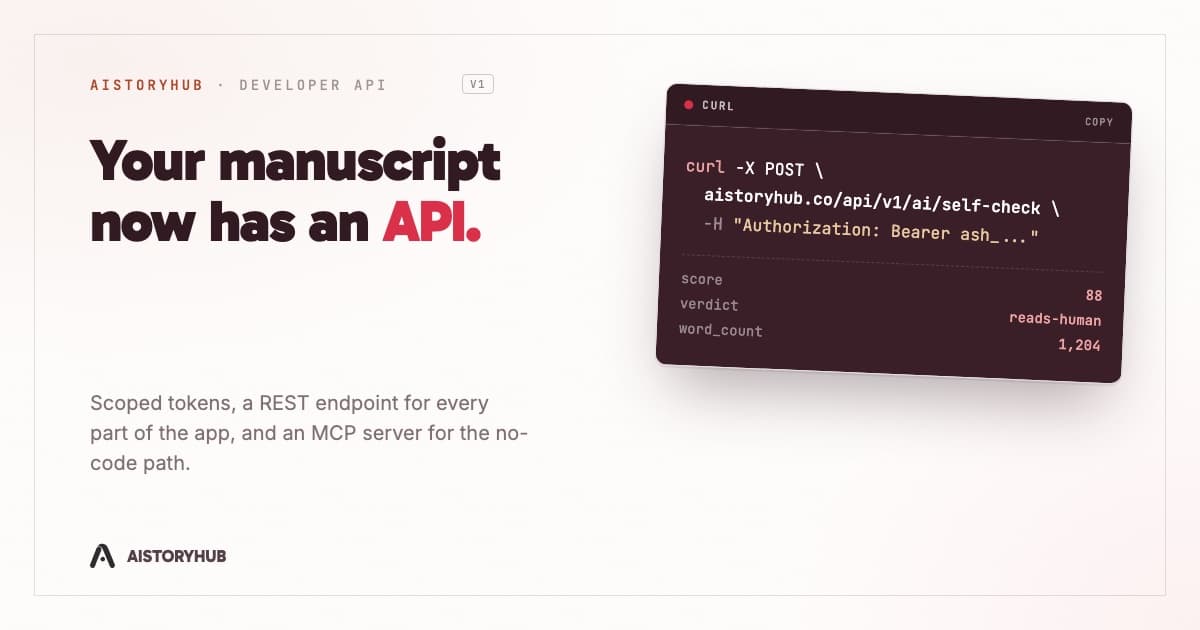
Run the slop check from a script instead of a browser tab. POST /api/v1/ai/self-check takes a story_id and either a chapter_id or a raw text block, and returns the same score, verdict, and flagged terms the public Slop Checker shows a human pasting text into a textarea, in roughly the time a lookup takes rather than an AI call. Put it in a pre-commit hook, or a CI step on a manuscript repo, and you get a number on your own prose before a reader ever does.
One request, start to finish
Say the third one is what you want. You've got a token scoped to stories:read, a story ID, and a chapter ID.
curl -X POST https://aistoryhub.co/api/v1/ai/self-check \
  -H "Authorization: Bearer ash_your_token_here" \
  -H "Content-Type: application/json" \
  -d '{"story_id":"b1f2...","chapter_id":"9c3e..."}'
That comes back with a score, a verdict, a word count, and a short list of the exact terms dragging the number down, the same shape /slop-checker shows in a browser. Wire it to whichever chapter just changed and the slop check runs itself.
If you'd rather not write curl at all
Every endpoint above is also an MCP tool, reachable by an MCP-aware client without anyone writing a request by hand: Claude Desktop, Claude Code, Cursor, ChatGPT's developer-mode connectors, or your own agent. The server speaks Streamable HTTP at /mcp/mcp, authenticated with the same ash_ bearer token as the REST API, or through a real OAuth 2.1 flow if you connect through claude.ai or Desktop's one-click connector instead of pasting a token by hand. The step-by-step install guide covers the token path with screenshots; the OAuth path is one click and a login screen, no token to copy at all.
That server took longer to build than every REST endpoint above put together, mostly because OAuth 2.1 has opinions about dynamic client registration and PKCE that a bearer token never has to think about. It was worth the extra weeks. It's the version of this API a writer who doesn't want to think about headers actually uses.
The token model hasn't changed since the first version of this: shown once, revoked instead of rotated, scoped to exactly what you checked. What's changed is how much of the app now sits behind it. Your manuscript was never only a browser tab. Now there's a door that proves it.